JavaScript: Bringing Pages to Life
· 2 min read
JavaScript: Bringing Pages to Life
JavaScript adds logic and interaction.
Example
<button onclick="sayHello()">Click Me</button>

<script>
  function sayHello() {
    alert('Welcome to Frontend Development!');
  }
</script>
🧪 Exercise
-
Create a button
-
On click:
- Change text on the page
- OR show today’s date
✅ Goal: Understand events and functions
📝 Task
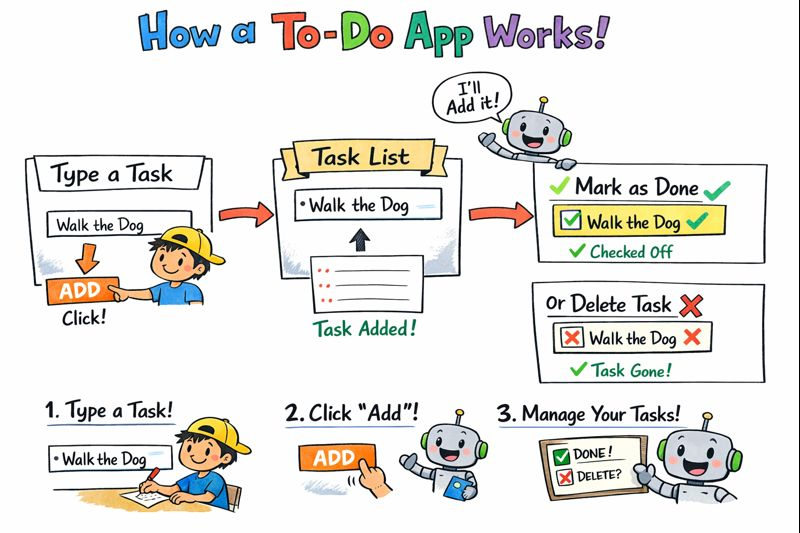
Build a simple To-Do list using JavaScript.
The application should allow users to manage daily tasks using a basic web interface.
✅ Requirements
- An input field to type a task
- A button to add the task
- A list to display all added tasks
🧪 Exercises
Exercise 1: Add a Task
- Allow the user to enter a task
- Add the task to the list when the button is clicked
Exercise 2: Prevent Empty Tasks
- Do not allow empty tasks to be added
- Show a message if the input is empty
Exercise 3: Remove a Task
- Each task should have a delete option
- Clicking delete should remove the task from the list
Exercise 4: Mark Task as Completed
- Clicking a task should mark it as completed
- Completed tasks should look visually different
Exercise 5: Add Task Using Keyboard
- Allow the user to add a task by pressing the Enter key
Exercise 6: Show Task Count
- Display the total number of tasks
- Update the count when tasks are added or removed
🎯 Goal
Complete this exercise using plain JavaScript (no frameworks).
If you can finish all tasks, you are ready to:
- Build a React To-Do app
- Manage state in frontend frameworks
- Handle real user interactions
If you want to learn other concepts in JavaScript, below is the link from MDN.
MDN JavaScript Tutorials — structured from beginner basics to advanced topics, with examples and explanations. JavaScript guide (MDN) https://developer.mozilla.org/en-US/docs/Web/JavaScript